PHUMI
Repair workflow
Track every job from check-in to completion.
Phumi Garage brings customers, repair jobs, stock and daily reporting into one simple Khmer-friendly workspace.
Open Phumi Garage in your browser, or inside Telegram with your Telegram account.
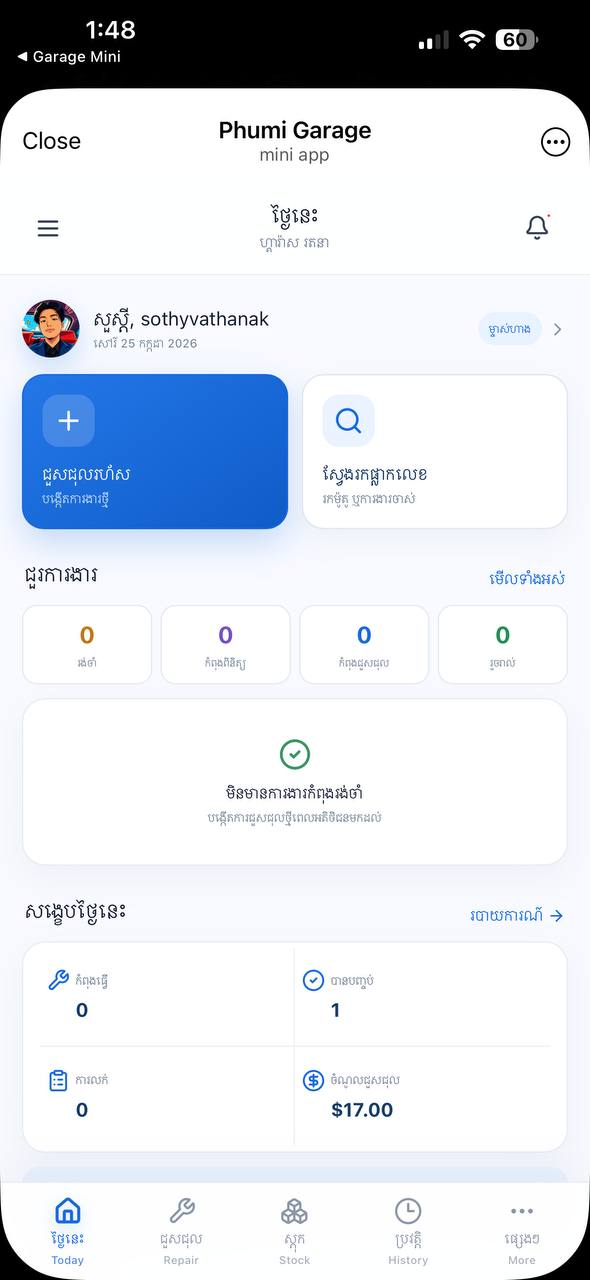
Track every job from check-in to completion.
Keep customer and motorbike history together.
Give each team member the access they need.
Move from the daily dashboard to repair details and customer receipts without leaving Telegram.
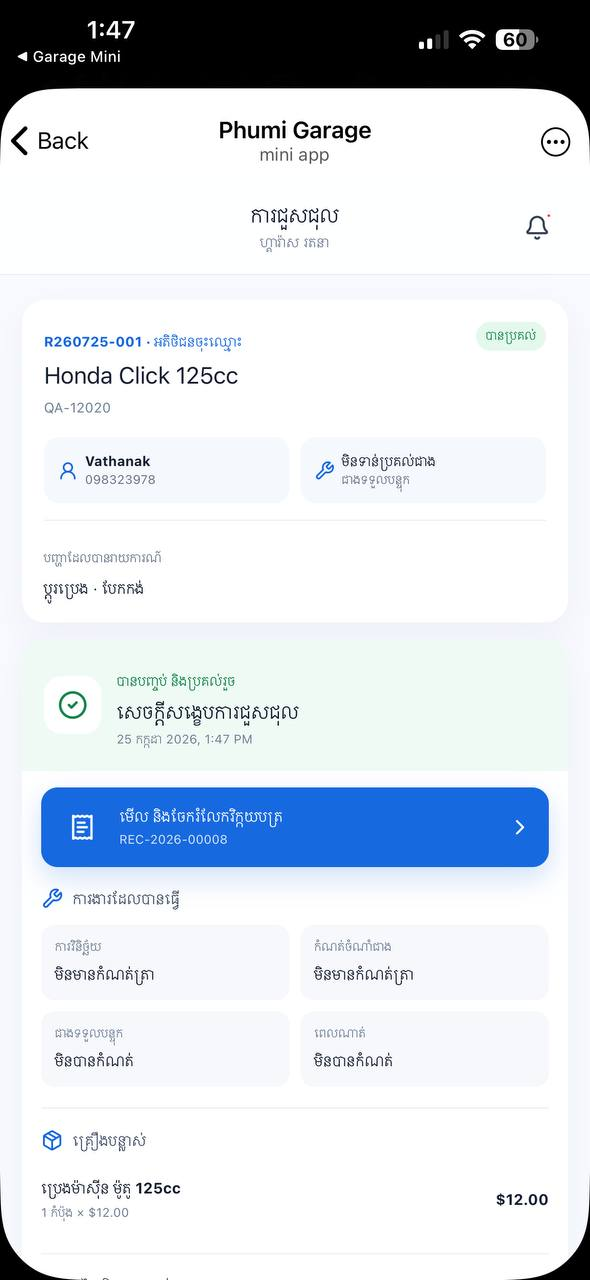
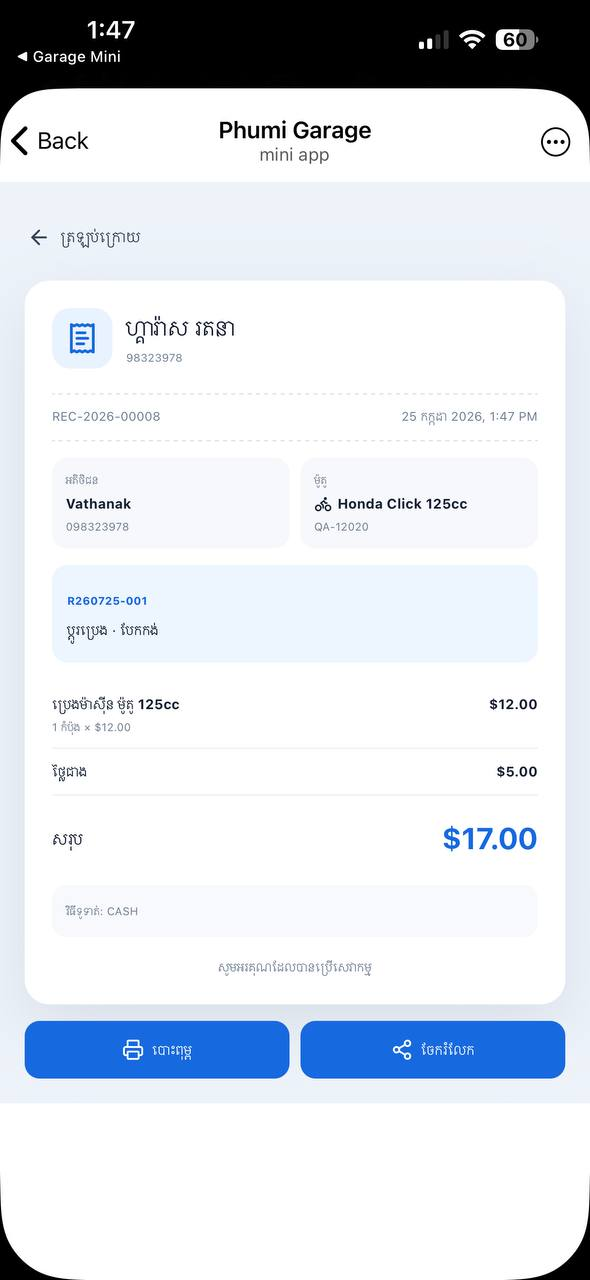
Open Phumi Garage in your browser, or scan the QR code to open the Mini App in Telegram.
The QR code opens @phumi_garage_bot directly in Telegram.
Open Phumi Garage in your browser, or scan the QR code to open the Mini App in Telegram.
Install Telegram, return to this page, then open Phumi Garage.
Open Phumi Garage in your browser, or use the official Telegram app.
Tap Open Phumi Garage, tap Open in Telegram, or scan the QR code.
Complete the short setup and begin managing work.
Telegram access keeps each garage session tied to a verified Telegram account.
Garage owners and teams managing customers, vehicles, repair jobs, and stock.
Open Phumi Garage in your browser or use the Telegram Mini App. The QR code opens the Telegram app.
Keep customer and vehicle history with repair work, and give team members the access they need.